Messages  |  Version française


? | Home page | Hardware

Homepage
Home page


HARDWARE

Here's a quick summary of the gear you will need to make music seriously in your home studio. All elements are not indispensable: you may not need a preamplifier if your audio interface already includes preamps of good quality. Concerning speaker monitors and headphones, you can also make a choice, even though these systems are very complementary. But it's better to own excellent 200-250 euro headphones rather than a 300-euro cheap pair of monitors. The MIDI controller isn't necessary either if you don't intend to use virtual instruments on a regular basis, or if you think about writing your scores with the mouse (which is quite feasible). A microphone won't be of any use to you if you don't intend to record any sound source, like your voice.

You should prefer quality over quantity, in proportion to your budget. It's best to be patient and save some money in order to buy the right piece of equipement, rather than spend money on a gear that won't suit you after only a few weeks of usage. Compare, find information, read people's opinions in music forums, ask questions, feel motivated about your buy before you go for it. Impulse buys are OK for 10-euro t-shirts, but having second thoughts about a 500-euro equipment is way more difficult to swallow!

Computer - Audio interface - Preamp - Speaker monitors - Headphones - Guitar and bass - MIDI controller - Microphone

Haut de page

COMPUTER

First, Mac or PC? Macs are perfectly suited for making music—no problem if you prefer a Mac, go for it! Personally, I chose PC for various reasons that only interest me, and it works very well too. What might tip the balance, in my opinion, is software availability. Some music software is only available on PC, others only on Mac. Also, the selection of free software is much larger on PC. I won’t decide for you, nor do I want to start a debate that always ends in fights on all forums about this topic online, so… do as you please.

However, below I’m mainly talking about Windows PCs, since I’m not familiar enough with Macs to recommend specific models.

It doesn’t matter whether you choose a desktop or a laptop, but pay particular attention to the following points:

        - The Processor: You need a fast multi-core processor. Choose the most powerful one your budget allows. In the past, Intel was usually preferred over AMD, but AMD has caught up significantly and now offers very competitive options.

        - <RAM (Memory): Nowadays, 16 GB is the minimum, and 32 GB or more can be useful when working with very large sound libraries.

Also note that your operating system version will determine the maximum amount of memory you can use. Moreover, not all motherboards support unlimited memory. Some only allow up to 16 GB, others 32 GB, etc. Check your motherboard and OS capabilities before buying RAM to avoid unpleasant surprises.

        - Hard Drive / SSD: Every computer has a storage unit. Traditional hard drives are now mostly replaced by SSDs, with NVMe M.2 drives on the latest models. Ideally, for music production, you want two storage drives: one for your programs (OS and applications), and another for your data (the audio files you’ll record). This significantly speeds up access times.

Currently, a 500 GB drive is the minimum, but don’t hesitate to choose 1, 2, or even 4 TB drives (1 TB = 1000 GB). These tend to fill up quickly.

A word on SSDs: they have mostly replaced classic hard drives in most cases, but they aren’t actually disks—they’re very fast Flash memory (like USB sticks). Advantages: much faster than hard drives, smaller, totally silent, and energy efficient.

        - The Screen

There are two key factors to consider: size and resolution. When it comes to size, go as big as your budget allows. A 15-inch laptop screen isn’t very comfortable for music production. A 17-inch display is better, but prices rise quickly with larger screens. For a desktop setup, 24 inches is a common standard, and if you can go for 27, 30 inches or more, even better! Again, budget is usually the limiting factor.

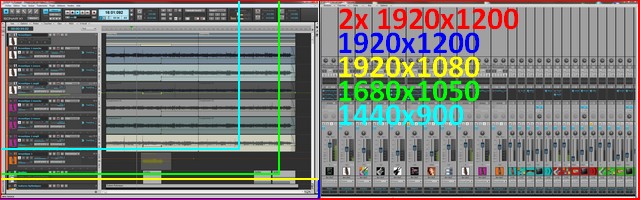
Resolution, meaning how many pixels the screen can display, is also very important, as music software often involves working with multiple windows at once. Plugins and mixers take up space, and a low-resolution screen will quickly feel cramped, which can get frustrating.

On a laptop, aim for at least 1440×900. 1680×1050 is much more comfortable, and 1920×1080 is even better. Resolution often depends on the physical size of the screen. For a desktop, no hesitation: go for at least 1920×1080, also known as Full HD in 16:9 format.

Don’t overlook screen quality. Check reviews and comparisons online. You’ll be staring at your monitor for hours, and a poor-quality display can quickly lead to eye strain or headaches.

Ideally, use two screens (or more), preferably the same size and resolution. It doubles your workspace and is incredibly convenient. You can live without it, but once you’ve tried dual monitors, it’s very hard to go back.

You can also go beyond Full HD with resolutions like 2560×1440 (16:9) or 2560×1600 (16:10), or even full 4K at 3840×2160 (16:9). But be careful—at that resolution, you’ll need a very large screen (30 inches or more), or everything will appear tiny on screen!

Screen resolutions
This shows how the Sonar sequencer looks depending on your screen resolution


        - Graphics Card

When it comes to making music, the graphics card doesn’t play a major role. The most basic and affordable models are usually more than enough for music production or general office tasks. That said, many modern plugins are becoming increasingly graphically demanding, so having a reasonably capable entry-level graphics card can help ensure smooth display performance.

Still, there’s no need to spend a fortune—better to keep your budget focused on actual music gear.

        - Operating System

On PC, that usually means Windows. There are other options, such as the various Linux distributions, but honestly, unless you're completely allergic to Windows or macOS, Linux isn't ideal for music production. It's possible, but the range of available software is far more limited compared to PC or Mac. Here, I’ll focus on Windows, since that’s what I personally use.

So, which version of Windows should you use for music production?
Windows XP, Windows Vista, Windows 7, and Windows 8 are now obsolete and no longer receive updates from Microsoft. And no, there’s no such thing as Windows 9, don’t waste your time looking!

Windows 10, released in 2015, still receives regular updates, but official support ends in late 2025. After that, you’ll either have to pay for extended security updates, upgrade to Windows 11 (though many PCs won’t be compatible), or simply keep using Windows 10 as usual, being extra cautious about online safety and malware.

Windows 11 is now the default on new PCs. Unless you have a specific reason to stick with an older version, go with Windows 10 or 11. All modern music production software is compatible with both.

One important note: Windows 11 won’t run on older hardware. Even though there are workarounds, the OS won’t install unless your processor, motherboard, and other components meet certain requirements. Of course, this won’t be a problem on a new PC.

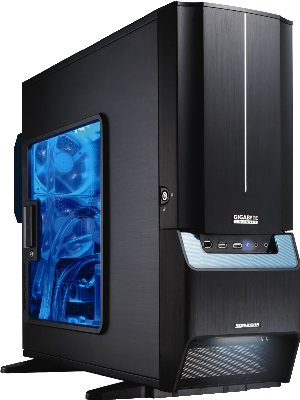
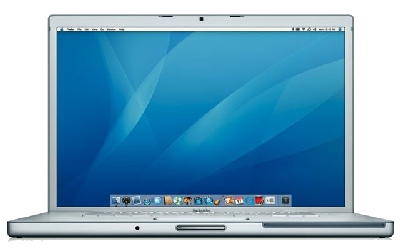
Gigabyte Aurora 3D PC box Apple Macintosh laptop
Haut de page

AUDIO INTERFACE

No, integrated or multimedia sound cards are not suited to make music! Not if you want a decent result or if you want to use real-time effects. To make music, you have to make a step forward and get an audio interface. They are separate devices, connected to the computer through a USB or a Firewire cable. Check before you buy! All computers come with USB connectors but Firewire connectors are not that common, especially with laptop computers.

Audio interfaces have several IN connectors (plugs in which you can connect microphones or instruments such as a guitar), usually between 2 and 8 connectors and several OUT connectors as well. Almost all of them have MIDI connectors, a headset connector and digital connectors (I have never used these myself, but you may be interested in having some...).

Compared with a simple sound card, audio interfaces differ thanks to the higher quality of their components which deliver a more faithful sound quality, their analog/digital converters are better (they change the analog sound you record into digital data that your music software can use), they include preamplifiers of various quality depending on the brand and the price range... They also allow you to simultaneously record one instrument for each IN connection. For instance, you may record a band with 2 guitar players, 1 bass player, 1 singer and one drum set, and in your DAW, you will get 1 track per musician. This is impossible to achieve with basic sound cards.

Another advantage with audio interfaces is to allow you to play or record without any latency. Latency is the time between your playing an instrument (like a guitar or a keyboard) and when you hear the sound in your speakers or your headset. With a basic sound card, there can be half a second and this makes any good recording nearly impossible to achieve. There is a solution though, if you cannot afford buying an audio interface: use Asio4all, a small program that will strongly reduce the latency of basic sound cards. Official website: click here.

Audio interfaces on the other hand will allow you to set the latency so that it becomes inaudible (down to only a few milliseconds). But this has a cost: the shorter the latency, the more the processor will be busy. If your processor is not powerful enough, setting the latency to a low level will generate irritating noises (craking and crackling sounds, sound breaks). So there might be some compromises to do. But anyway, audio interfaces are a must to make music in a home studio.

As always, pick the best quality you can afford, evaluate your needs so you choose the right device, get information from other users (on music websites such as Audiofanzine)... Choose carefully.

Recommended brands

(click on the pictures to see the various models of these brands on the Audiofanzine website, and read users' opinions)

RME Audio
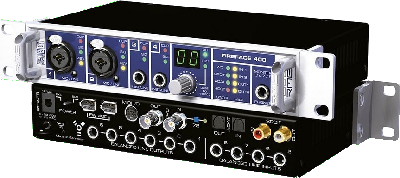
RME Fireface

MOTU

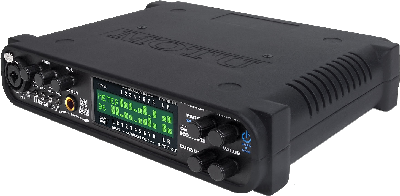
MOTU Ultralite

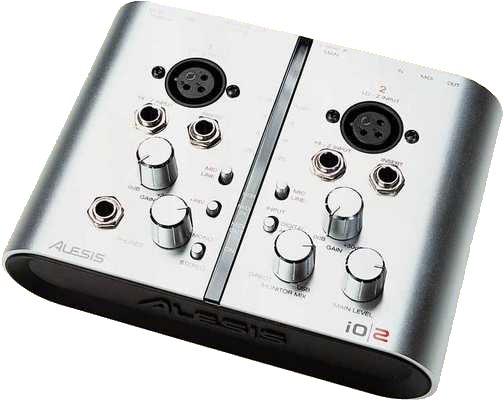
Alesis

Alesis I/O2

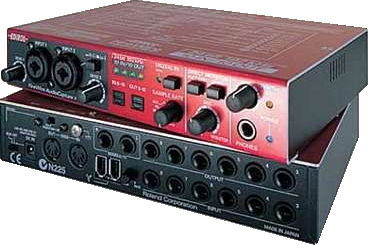
Edirol

Edirol FA-101

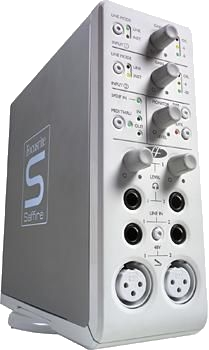
Focusrite

Focusrite Saffire

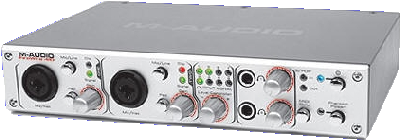
M-Audio

M-Audio Firewire

PreSonus

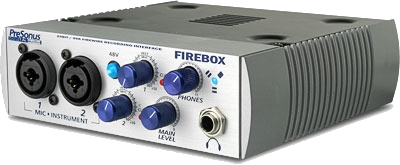
PreSonus Firebox

Haut de page

PREAMPLIFIER

A preamplifier (preamp), or control amp in some parts of the world, is an electronic amplifier which precedes another amplifier to prepare an electronic signal for further amplification or processing. The preamplifier circuitry may or may not be housed as a separate component. A low-quality preamp will result in a low-quality audio signal.

You will use it to record the microphone, the guitar and the bass. This is required unless the preamp integrated within your audio interface is high-quality. Beware, high-quality preamps, whether they be solid-state or tube preamps, can be very expensive (over 1000 euros/dollars). Frankly, investing that much money for a home studio seems unreasonable. But it's your money and the decision is yours...

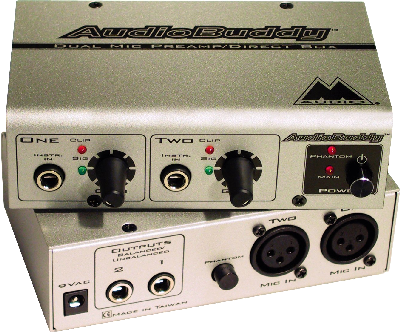
If you're looking for a very transparent (it doesn't color the sound) and efficient preamp that is really inexpensive (less than 100 euros/dollars), here is one:

M-Audio Audio Buddy
M-Audio Audio Buddy

Haut de page

STUDIO MONITORS

Studio monitors, also called reference monitors, are loudspeakers specifically designed to produce relatively flat (linear) phase and frequency responses. In other words, there will be no emphasis or de-emphasis of particular frequencies so that the loudspeaker gives an accurate reproduction of the tonal qualities of the source audio. Never mix with a walkman headset or cheap multimedia speakers, or even hifi speakers... None of these are neutral.
There are two types of studio monitors: active and passive. Passive monitors are like hifi speakers, you need to connect them to an amplifier in order to deliver sound. On the other hand, active monitors have a built-in amplifer within the speaker case, so you do not need a separate amplifier. You simply connect them to your audio interface to get some sound. They are more expensive (and heavier) than passive monitors, but also sound better. For a home studio purpose, you do not need very powerful monitors. About 40-60 watt should be enough for an average room.

Recommended brands

Event Electronics

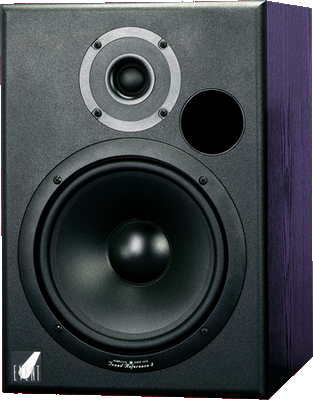
Event Electronics TR8

Adam

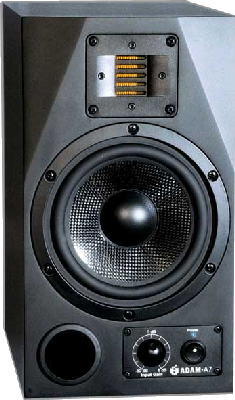
Adam A7

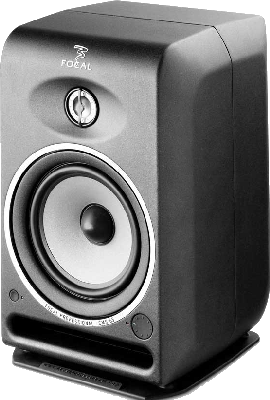
Focal

Focal CMS65

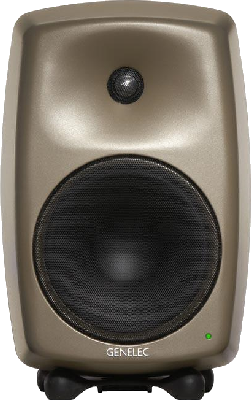
Genelec

Genelec 8250A

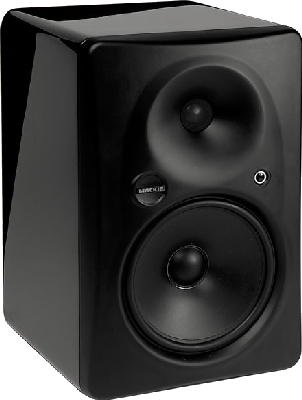
Mackie

Mackie HR824 MK2

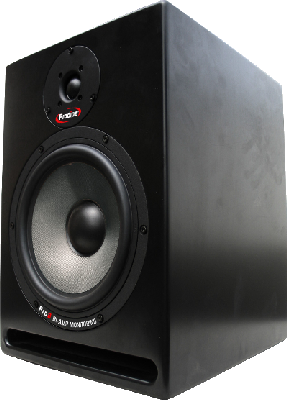
Prodipe

Prodipe Pro 8

Tannoy

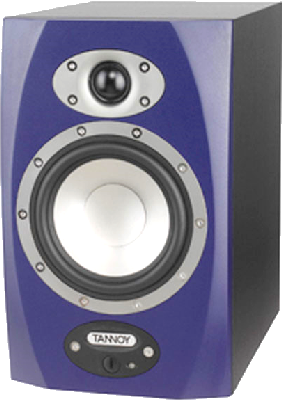
Tannoy Reveal 6D

Yamaha

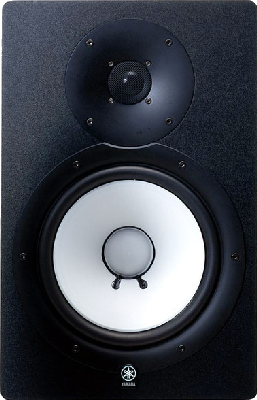
Yamaha HS80M

Haut de page

HEADPHONES

Good headphones will allow you to listen to your music without bothering anyone. You can even use them for some mixing if you don't have a choice. But mixing with headphones is not recommended, so if you plan to do so anyway, make sure you get a very good headset and of course, this has a cost. The headset will also be used when recording voices, so you can listen to the music without turning the monitors on (or else, the microphone will record the music from the speakers along with your voice), and will also be used to listen to your song with a sound that is different from your monitors. One of the main differences between monitors and heaphones is the way you hear stereo effects, and the balance of low and high frequencies is also affected differently.

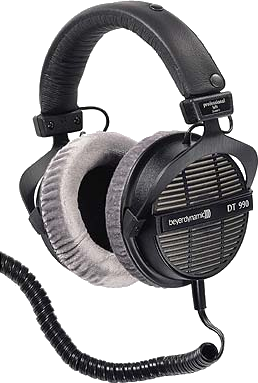
Beyer Dynamic DT990

Beyerdynamic DT990

This headset has it all: it is comfortable to wear, light, it is not too tight, its cable does not curl and is long enough to move around. But first and foremost, it sounds extremely well. The sound is very balanced and rather neutral, allowing you to mix correctly, which is rare with headsets. Lows, mediums and trebles are very well defined. In a word... great! It costs around 150 euros/dollars and, in this price range, there are few competitors. I have been using it since 2006 and am totally satisfied.

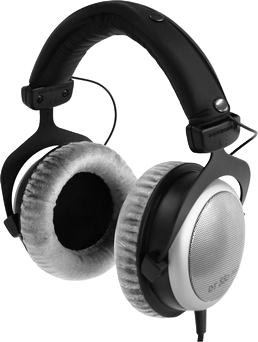
Beyer Dynamic DT 880 Pro

Beyerdynamic DT 880 Pro
The DT880 Pro model is the upper range from Beyer Dynamics. It costs around 250 euros/dollars and can help to mix without monitors. It won't replace good monitors, but if you don't have the money to get decent monitors, it's better to get this kind of headset rather than mix on an inappropriate pair of cheap monitors.

Haut de page

GUITAR AND BASS

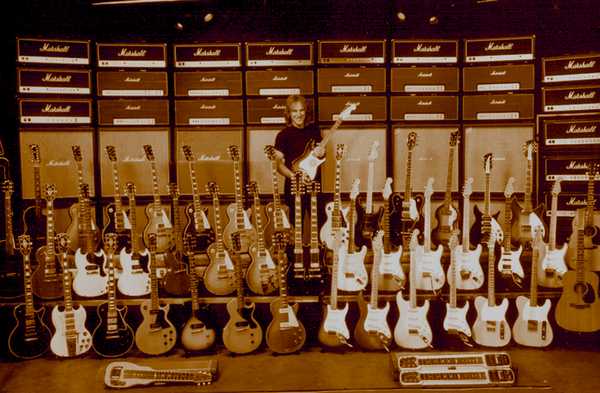
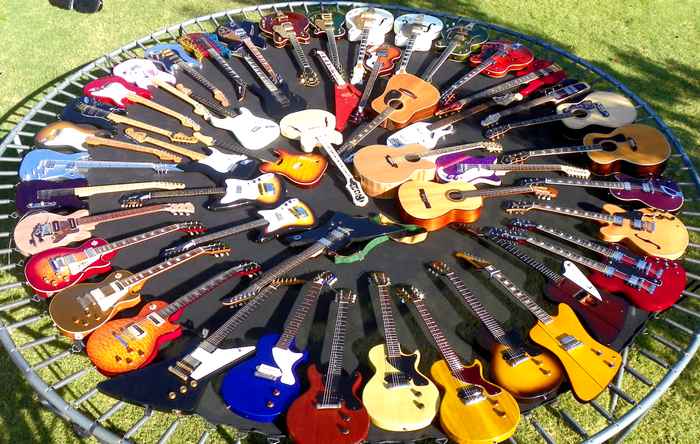
That depends on your taste and the money you have. After all, the good guitar is the guitar that gives you satisfaction, no matter what brand or how much it costs. The sound comes mainly from the player. A good guitar player will make a cheap guitar sound much better than a bad player with a 3000 euro/dollar guitar.

I cannot recommend any brand or model, but I can give you a non-exhaustive list of famous brands: Fender, Gibson, Ibanez, Epiphone, PRS, Gretsch, Cort, Takamine, Martin, Seagull, ESP, Washburn...
Collection de guitares
The quality of the wood, the microphones used, the coating, the weight, the shape, the balance, the tuning, the color, the price, an irrational attractiveness... all these factors, subjective or objective, will have to be considered when choosing a guitar or a bass.

It is strongly advised to try a guitar before buying it, even for just checking that it fits you. When trying an electric guitar, do not hesitate to play without plugging it in an amplifier. If it just sounds right that way, if the strings sound well with their natural sound, chances are the guitar will also sound very well once plugged.
Collection de guitares
The more a guitar is expensive, the more time you should take to choose it. It would be a shame to spend a large amount of money and realize soon afterwards that you don't really like it. What you feel is important: if you like your guitar, you will enjoy playing it.

Haut de page

MIDI CONTROLLER

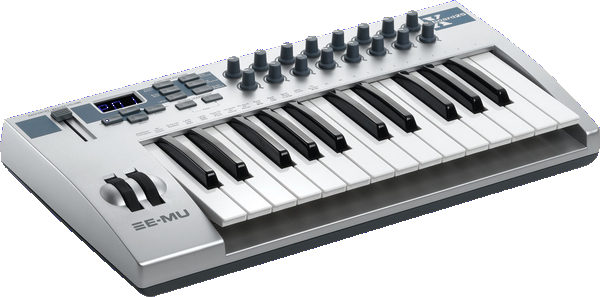
A MIDI controller is a keyboard that you plug into your computer (USB connection) or into the audio interface (MIDI connection). It is not a stand-alone equipment and it does not include any sounds. Actually, it controls the virtual instruments you have in your computer, or various functions of your DAW. There are different kinds of MIDI controllers (some are like piano keyboards, which I use myself, others have only knobs and sliding buttons), and the piano-like ones usually have between 25 and 61 keys (2 to 5 octaves), depending on what you need and the available room you have.
EMU XBoard 25
Haut de page

MICROPHONE

In a home studio, microphones are primarily used to record vocals, acoustic guitars, harmonica, small percussions (like a tambourine for instance) or any acoustic instrument...
There are three main types of microphones: dynamic, condenser (also called electrostatic) and ribbon.

Dynamic microphones

Usually small in size, they are solid and can take high volumes.
They are well suited to record guitar cabinets, drums and percussions. Concerning vocals, they are not ideal, but as they are rather inexpensive, they can be a bargain. Many famous singers have used dynamic microphones, such as Mick Jagger (The Rolling Stones). If they suit him, others will be able to do with them!

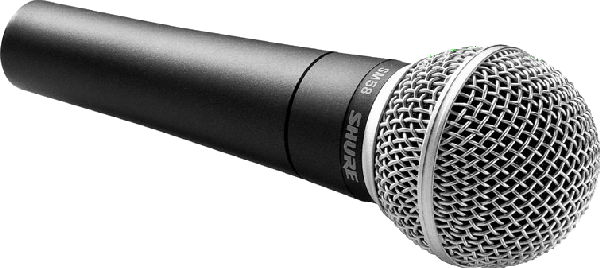
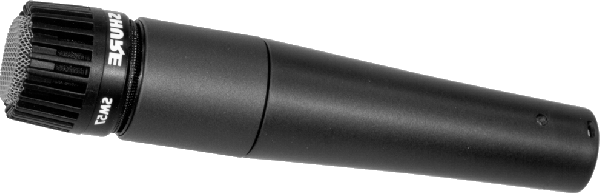
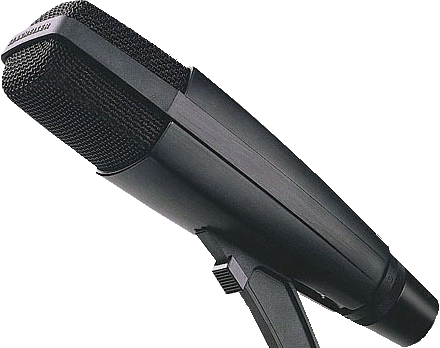
Renowned dynamic microphones: Shure SM58 (voice microphone for live performance), Shure SM57 (vocals and instruments), Sennheiser MD 421 (vocals and instruments)...

Shure SM58

The SM58 is a voice microphone for the stage. IT is sturdy, liable, and not very sensitive to feedback. For recording, it isn't the best choice, mais its price makes it affordable and you can achieve correct results with it. For about 100 euros/dollars, you will have a very decent microphone.

Shure SM57

The SM57 is very versatile. It was designed to record snare drums and guitar cabinets, as it can take powerful guitar emps. Like the SM58, it isn't the best choice for vocals, but it will do the job corretly for a similar price: around 100 dollars/euros.

Sennheiser MD 421

The Sennheiser MD-421. This is the U4 model. There are variouy models with slight differences in the way they capture the sound (the mediums will be more or less full. About 350 euros/dollars.

Condenser microphones

More fragile than dynamic microphones, they need to be handled with care and you should avoid shocking them or let them fall down.
These microphones need electric supply. They either incorporate one, or they receive power through the phantom power that you can activate on the audio interface or the mic preamplifier. These microphones are often used for vocal recordings thanks to their bright rendition. But they are also well-suited for other uses, such as guitar recording (acoustic or electric) and other instruments. These microphones are very sensitive and will easily capture ambiant noises and the room reverberations. Some are so sensitive that they may record the humming coming out of your computer or the cars passing in the street outside of your place.

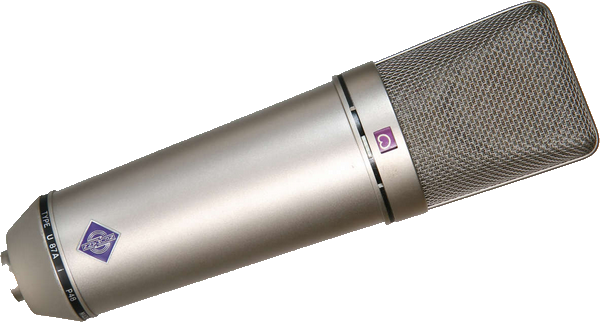
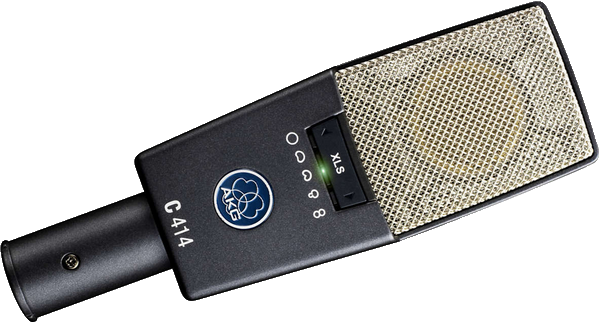
Renowned condenser microphones: Neumann (excellent... and very expensive), AKG C414, Rode microphones, etc. etc.

Neumann U87

The Neumann U87 is a tried and tested microphone, with a price that most people cannot afford: mors than 2000 euros/dollars! Also from Neumann, the TLM-103 is often regarded as the U87's small brother, but you still have to pay about 900 euros/dollars.

AKG C414

The AKG C414 is a microphone you will often find in professional recording studios, and even in home studios for those who can afford it. It offers several polar patterns and you can find several C414 versions. The price tag is around 1000 euros/dollars, sometimes 900. If the C414 is too expensive, its smaller brother, the C214 offers only the cardioid polar pattern, which is the most commonly used pattern in home studios. It only has one capsule instead of two, and these characteristics make it much less expensive than the C414. You can find it around 400 euros/dollars.

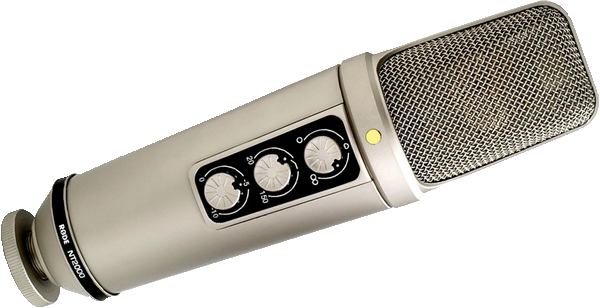
Rode NT2000

The Rode NT2000 offers three polar patterns (omnidirectional, cardioid, bi-directional). Very good for voices, it's a very versatile microphone at about 400 euros/dollars.
There are other models in the Rode NT series, either with large capsules (NT1, NT2, NT1000) or small ones (NT3, NT4, NT5).

Ribbon microphones

They are the most fragile of all, even if modern version are much less fragile than their ancestors.
They are well suited for recording acoustic instruments like strings, brass, organs or ambiant recordings, as well as cabinet guitars. They don't need phantom power (which can actually damage them), but they have a pretty low sensitivity and you need a good preamplifier. If the one provided within your audio interface isn't good enough, you will need an external one. One advantage to this low sensitivity is that they allow you to record vocals in places with ill-adapted acoustics that the ribbon microphone won't capture. But with weak vocals, the low sensitivity can become an issue.

Renowned ribbon microphones: Royer R-121, BeyerDynamic M160...

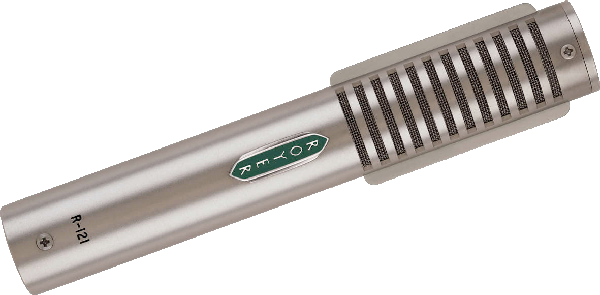
Royer R-121

Royer R-121. About 1300 euros/dollars...

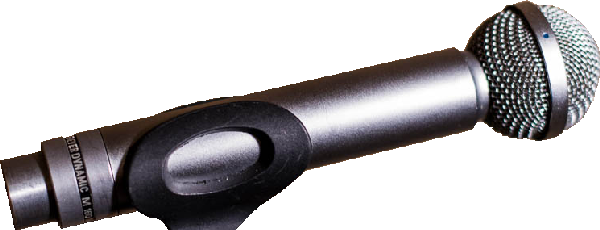
BeyerDynamic M160

BeyerDynamic M160. It can give very satisfying results, especially for guitar cabinets recordings, close to what you get with a Royer R-121, but around 500 euros/dollars only.

Haut de page


MESSAGES

(leave a message)

Messages page # 1 2 3 4 5 6 7 8 9 10 11 12 13 14 15 16 17 18 19 20 21 22 23 24 25 26 27 28 29 30 31 32 33 34 35


CelticBreizh
le 12/04/2010 à 22h00

Encore merci de votre réponse. Je me demande même si je ne vais pas craquer pour votre carte qui a plus de réglages en façade, laissant l'arrière aux Jacks et à l'alim.

* * * * * * * * * * * * * * * *

<em>Comme vous voulez, mais avez-vous vraiment besoin de 8 entrées ? Dont seulement 2 avec préampli (les deux à l'avant) ? À vous de voir,

Grebz</em>


CelticBreizh
le 12/04/2010 à 09h21

Bonjour,

J'envisage l'acquisition d'une nouvelle interface audio type EDIROL FA-66 et je voulais savoir ce que vous en pensiez étant donné que vous avez déjà une EDIROL FA-101, un modèle un peu semblable mis à part le nombre important d'entrées.

Ma carte Presonus me joue des tours mais je souhaiterais rester sur une connexion en firewire. Pouvez-vous me dire si c'est un bon choix ?

* * * * * * * * * * * * * * * *

<em>Bonjour Éric,

<a href="http://fr.audiofanzine.com/carte-son-externe/edirol/FA-66/avis/">Les avis sur Audiofanzine</a> sont tous très bons. Visiblement les utilisateurs sont satisfaits de leur achat. De mon côté, je suis également satisfait de ma FA-101 qui ne m'a jamais fait défaut, que j'enregistre seul chez moi en n'utilisant qu'une seule entrée, ou bien en enregistrant un groupe en live avec 8 entrées simultanées. Les préamplis de la carte ne sont pas extraordinaires, mais devraient suffire néanmoins. En cas de besoin, il sera toujours possible de leur adjoindre ultérieurement un préampli externe supplémentaire.

La connexion Firewire a l'avantage d'utiliser très peu de ressources processeur (moins qu'une connexion USB), ce qui permet de libérer ces ressources supplémentaires pour le séquenceur, d'être très stable et d'avoir une bande passante supérieure à l'USB 2.
Dans le cas de la musique, toutefois, cette dernière caractéristique n'a pas vraiment d'importance. C'est plus important dans le domaine de la vidéo.

Au niveau des défauts, la connexion Firewire nécessite l'utilisation d'une alimentation secteur lors d'une utilisation sur un portable. La prise mini-Firewire qu'on trouve sur les portables ne peut pas fournir d'alimentation électrique contrairement à l'USB. Donc, il faudra brancher l'interface sur le secteur, ce qui fait des branchements en plus. Mais pour une installation fixe, ce n'est pas trop gênant.

Les drivers de la FA-101 sont stables, ils existent en 32 et 64 bits et fonctionnent sous Windows XP, Vista et Seven. Il me semble que les drivers sont communs pour la FA-101 et la FA-66... en tout cas, les fichiers qui composent ces drivers, téléchargés sur <a href="http://www.rolandus.com/products/productdetails.php?ProductId=731">le site d'Edirol</a>, sont quasiment identiques à 2 ou 3 détails près. La FA-66 n'est de toute manière qu'une FA-101 allégée, elles doivent sortir du même moule !

Donc oui, je peux vous recommander cette interface audio. De toute façon, achetez-la et essayez-la, vous avez légalement une semaine pour vous rétracter auprès de votre vendeur.

Grebz
</em>


Jikoo
le 12/04/2010 à 01h42

Superbe page (simulateurs d'ampli) !
J'ai appris plein de choses. C'est vraiment très intéressant. Merci beaucoup et bonne continuation.

Jerry Coox - Musicien
(Facile à trouver sur le web !)

* * * * * * * * * * * * * * * *

<em>Merci à vous !

Je rajoute un lien vers <a href="http://www.myspace.com/jerrycoox" target="_blanck">votre MySpace</a>, j'ai écouté ce que vous faites, c'est vraiment très bien !

Grebz</em>


CelticBreizh
le 24/03/2010 à 20h06

Bonjour,

Merci encore de votre précédente réponse.
Pour information, voila ce que j'ai relevé sur mon portable ACER :
Avant tout, j'ai pensé à ce portable parce qu'il est silencieux. Je ne dispose pas d'une pièce dédiée et suis en fauteuil roulant. Ce n'est pas toujours simple pour tous les branchements. Dans la MAO, je cherche juste à mettre de la musique, piste à piste, derrière mes textes. Alors maintenant mon ordinateur portable, c'est :
Modèle Aspire type 5670 / 5673 WLMi
Processeur : Intel Core Duo T2400 (1.83 GHz, 667 MHz FSB, 2MB L2 cache)
En fait, c'est un Intel Centrino Duo destiné plus particulièrement aux portables.
L'écran est un 15.4 pouces WXGA. C'est un peu petit pour y caser le séquenceur, la table de mixage, les VST et VSTi etc... ça finit par être complètement brouillon. Je sais qu'il me faut un autre écran (d'ailleurs mon portable peut l'accepter). Le séquenceur d'un côté et de l'autre, le mix et tous le reste. Ce serait plus clair. J'envisage effectivement l'achat d'un 24 ou 26 pouces.
La vidéo, c'est bien sûr de l'intégré, ATI Mobility Radeon X 1600
Le disque dur : 120 GB SATA partitionné. J'ai un disque dur externe Western Digital Caviar d'1To acheté récemment.
La mémoire : 2 Go DDR2 (support dual channel).
C'est sans doute là que ça pêche le plus, avec 2 Go et mon processeur centrino, je vais vite atteindre les limites si j'utilise beaucoup de VST ou VSTi.
Un petit plus, j'ai une prise FireWire sur laquelle je branche ma carte son externe Presonus Fire Box.
Je n'ai pas encore de préampli mais j'envisage d'en acheter un. Un petit et modeste appareil, je n'ai ni les prétentions, ni les moyens d'un studio professionnel.
J'ai repéré chez Thomann en Allemagne un ART TUBE MP à 38€. Ce sera sans doute mieux que rien vu que je n'en utilisais pas avant. Ça me fait 2 alim de 48 Volts pour mon micro statique SAMSON.
Par contre, j'utilise un EDIROL PCR - A30 et là, j'ai sans doute encore mal choisi puisqu'apparemment il serait doté d'une Audio Interface, cette interface n'était sans doute pas nécessaire puisque j'avais déjà une carte son PRESONUS ???
Ce clavier se branche en USB mais est aussi doté d'un transfo, c'est peut-être plus stable, je ne sais pas.
Les infos relevées sur ce clavier : EDIROL PCR - A30 - ROLAND, 24 Bit 96 kHz Digital Audio, USB Audio Interface, Midi Key Board Controller.
Je sais que l'on peut contrôler certaines fonctions mais j'avoue que je ne l'utilise que comme un clavier midi. Je suis loin d'en tirer le maximum.
Un ami me l'avait conseillé mais maintenant, je ne sais pas si c'est un bon choix.
Et pour finir, je suis sous XP, et j'aimerais le rester.
C'est un portable que je veux remettre à plat en formatant et en le consacrant uniquement au son et rien d'autre.
La connexion Internet (pour les mises à jour windows) sera coupée pendant le travail sous Cubase, de même qu'Avast, mon antivirus. J'espère ainsi alléger le système. Il n'y aura même pas de messagerie.

Au fait, comment fait-on pour geler des pistes ?

Je suis preneur de tous conseils. D'avance merci.

CelticBreizh


CelticBreizh
le 24/03/2010 à 01h45

Bonjour,

Un excellent site qui permet de s'y retrouver facilement dans la MAO.

Avant de trouver des séquenceurs "non limités", j'avais investi dans bon nombre de matériels, tables de mixage, racks en tous genres dont compresseur, ampli casques, microverb Alesis etc... tout en analogique bien entendu. Certaines tables de mixage étaient dotées d'une alim phantom pour mon micro statique, d'où cet achat que je regrette maintenant compte tenu des possibilités des petites cartes son externes bien suffisantes à mon goût (ma presonus gère le 48V). Quand Cubase a pu gérer correctement l'audio et pas seulement le midi, j'ai soigneusement rangé tout ce matériel. Pour un temps, j'ai continué à me servir de ma table de mixage mais, l'encombrement fait que je vais me résoudre à utiliser le mix du séquenceur mais l'écran d'un portable n'est pas extensible et cela devient vite un casse tête d'ouvrir toutes ces fenêtres à l'écran et avoir constamment la main sur la souris. Mon portable n'a que 2 Go de ram, j'espère qu'il ne plantera pas durant les enregistrements que je faisais avant sur un fixe assemblé par mes soins. Pourquoi alors ce portable ? Moins de bruit, moins d'encombrement, moins de fils. Bien que vieux de 4 ans, son processeur est un double-coeur. Je vais lui adjoindre un disque dur externe et j'espère que cela suffira pour mes compos. Si vous pouviez me donner votre avis éclairé sur mon modeste matériel, merci d'avance.

En tous cas, bravo pour les sujets abordés, ça a le mérite d'être clair alors que d'autres auraient traité cela de façon ultra technique sans que je puisse m'y retrouver.

À bientôt. Éric

* * * * * * * * * * * * * * * *

<em>Bonjour Éric,

Tout d'abord merci de votre message sur mon site, ça fait plaisir de voir que je peux rendre service à quelqu'un. Si je fais cela, c'est parce que moi-même, j'ai pas mal galéré en me lançant dans la MAO voici quelques années et que j'ai eu du mal à m'y retrouver face à toutes ces notions déroutantes au départ. Je ne suis pas devenu un spécialiste pour autant, mais j'ai appris suffisamment pour essayer d'aider à mon tour, dans un langage que j'espère accessible au plus grand nombre, sans verser non plus dans l'abêtissement. Il faut parfois appeler un chat un chat (ou un compresseur un compresseur) pour éviter les dérives de langage qui perdent tout le monde... Bref.

En ce qui concerne votre matériel analogique, je ne sais pas s'il faut regretter de l'avoir acheté. J'imagine que financièrement, ça représente un investissement et qu'il est toujours dommage de s'apercevoir au bout de quelques temps qu'on n'a pas forcément fait le bon choix, mais malheureusement, dans les domaines "techniques" (informatique, musique, vidéo...), il sort constamment de nouveaux équipements qui supplantent les anciens et si on attend le bon moment... on ne se lance jamais ! Après, il y a l'encombrement qui peut également poser problème. Mais l'analogique a aussi des qualités : le son (évidemment, tout dépend du matériel), et la manipulation physique, plus naturelle à l'usage qu'une souris. Mais tout est question d'habitude.

Pour ce qui est de votre matériel actuel, un portable, vous avez vous-même parlé de ses limites : la taille de l'écran qui fait qu'on se sent vite à l'étroit, et le fait qu'il soit déjà un peu ancien (en termes informatiques bien entendu).
Pour l'écran, il vous est toujours possible de lui adjoindre un écran plat si vous disposez de la place suffisante, et du budget bien entendu. Un bon écran plat de bonne taille (disons 24 ou pourquoi pas, soyons fou, 26 pouces !) ajoutera beaucoup de confort pour un tarif à situer entre 200 et 300 euros selon la marque et la qualité attendue. Non négligeable, mais très confortable. Il est même possible de disposer ainsi d'un double écran, sur le portable et sur l'écran supplémentaire, à condition que la carte graphique du portable gère cette fonctionnalité, ce qui est bien souvent le cas.

Avoir un processeur dual-core est un avantage évident, tout dépend cependant du processeur en question. Certains dual-core un peu anciens ne sont pas très puissants, rien ne remplace un bon test par soi-même pour tester les limites de la machine.

J'utilise moi-même un portable de marque ASUS. Je l'ai acheté voici bientôt 3 ans, il a également un processeur dual-core à 2,5 GHz et 3 Go de mémoire. Fourni à l'origine avec Windows Vista, je l'ai remplacé récemment par Windows 7 en version 64 bits.

Voilà ce que je peux vous dire de mon expérience avec ce portable pour une utilisation musicale :
Déjà, je ne l'utilise pour la musique qu'en déplacement, puisque j'utilise normalement mon ordinateur de bureau, bien plus puissant. Ce que j'ai constaté, c'est qu'il réagit mieux lorsque j'utilise mon séquenceur Sonar en version 32 bits qu'en version 64 bits. j'ai installé les 2 versions et cette dernière est plus lourde semble-t-il. C'est en tout cas mon ressenti.
Hormis cela, aucun souci pour enregistrer. J'ai déjà enregistré plusieurs fois des concerts live, avec parfois jusqu'à 8 pistes simultanément, pour un enregistrement sans interruption pendant un peu moins de 3 heures. Ni le disque dur, ni le processeur (très peu sollicité par l'enregistrement) n'ont montré de signes de faiblesse. Le disque dur est pourtant un simple disque à 5400 tours par minute, donc pas franchement un foudre de guerre.
J'ai également enregistré une pièce de théâtre amateur en branchant simultanément une carte son USB et un caméscope FireWire et donc en enregistrant 2 pistes audio sur sonar, pendant que la vidéo s'enregistrait (sur le même disque dur) via un logiciel de montage. Toujours sans souci.

En fait, je trouve les limites de mon ordinateur portable lors de l'utilisation de plugins VST ou d'instruments VSTi. Là, je constate une nette différence avec mon PC de bureau. Mon processeur de portable sature bien plus vite. Mais j'avoue que j'utilise pas mal de plugins, parfois plusieurs dizaines sur un projet. La seule solution dans ce cas est de "geler" les pistes, de façon à libérer le processeur. Si vous utilisez peu de VST, il ne devrait pas y avoir de problème, mais dans le cas contraire, attendez-vous à rencontrer des ralentissements, voire des interruptions de lecture. Et lors d'enregistrements, désactivez les plugins inutiles pour soulager le processeur.

Quant aux 2 Go de mémoire, c'est peut-être un peu juste avec Windows Vista, mais cela devrait suffire pour XP ou Windows 7. Sachez qu'avec un 32 bits, Windows ne laisse pas plus de 3 à 3,5 Go de mémoire disponible pour l'utilisateur, et que chaque application ne peut disposer que de 2 Go au maximum. Le système lui-même va consommer une partie variable de la mémoire selon les applications et services installés.

C'est l'intérêt d'un système en 64 bits : à condition que le processeur le gère, un système 64 bits va pouvoir utiliser l'intégralité de la mémoire à sa disposition, et les applications 64 bits ne seront pas limitées non plus. Mais un logiciel 32 bits sur un système 64 bits sera toujours limité à 2 Go. Pour aller au-delà, il faut que le logiciel soit lui-même programmé en 64 bits.

Voilà ce que je peux vous dire. Musicalement vôtre,

Grebz</em>

* * * * * * * * * * * * * * * *

Merci d'avoir pris le temps de me répondre. ça me semble si clair maintenant. Un grand merci et encore bravo pour votre site.

Éric

Top of page